Adding Team Members
Team page images like the ones below are added to the page via a shortcode manager. No shortcodes to remember, it’s all done for you with 3 easy clicks.
Because teams are inserted with shortcodes it can be added to any page any post, and any content type that will accept shortcodes.
The advanced team tools that’s added with the upgraded Croma restaurant framework, will make your work a breeze, and will add configurations that’s out of this world
- QualificationsCore Stability and Torso strengthing coachSpecialityWeight Management, Sports Specific Training, Toning and shaping, Body BuildingFavorite SportBaseball, Ice hockey
- QualificationsETA National Certificate in Fitness (cum laude)SpecialityWeight loss, Functional Training, Toning and ShapingFavorite SportHockey, Tennis


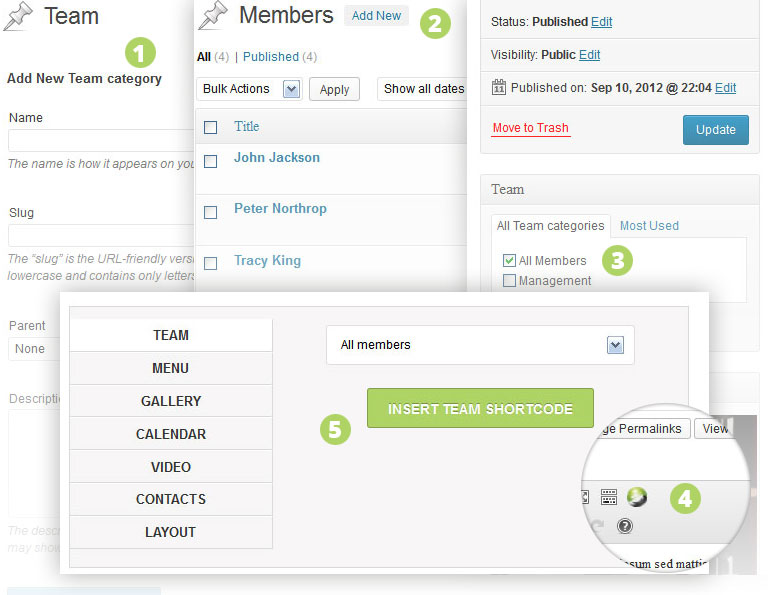
Adding team pages requires 5 easy steps.
- Create a category to group all the team items that belong together.
- Add your team posts.
- Add your team category to the post.
- Click to open your shortcode manager.
- Insert the team shortcode.